![email-signature-anytime-logo-1.png]](https://knowledgebase.anytimebooking.co.uk/hs-fs/hubfs/email-signature-anytime-logo-1.png?height=42&name=email-signature-anytime-logo-1.png)
NOTE - We recommend using Google Chrome when viewing your account on a mobile phone.
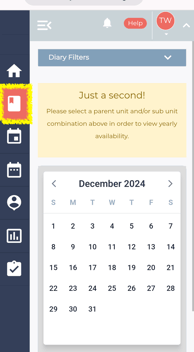
Step 1 - Log into your account on your phone and click on the diary button from the menu on the left hand side
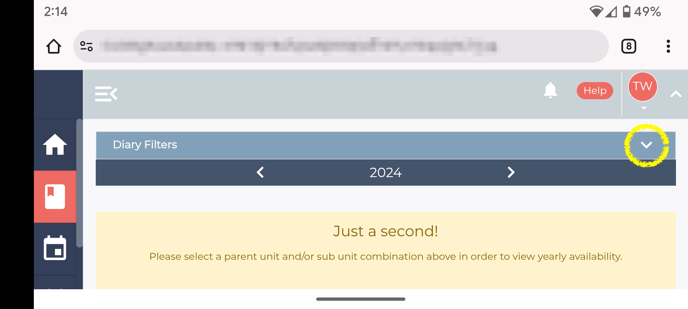
Step 2 - Turn your phone sideways so it's in landscape mode and tap the small arrow to show more dairy filter options
Step 3 - Tap the "View" options and then select "Grid" instead of "Yearly"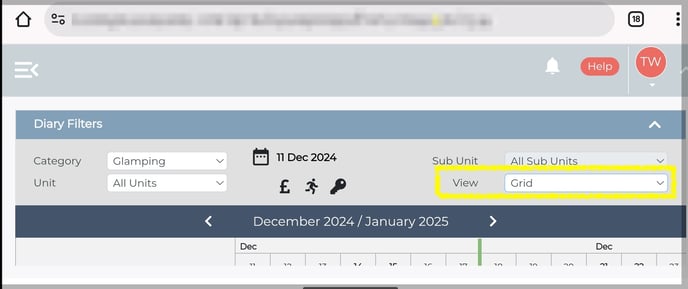
Step 4 - Tap the two minimise arrows on the right hand side to hide the options and menu bars.
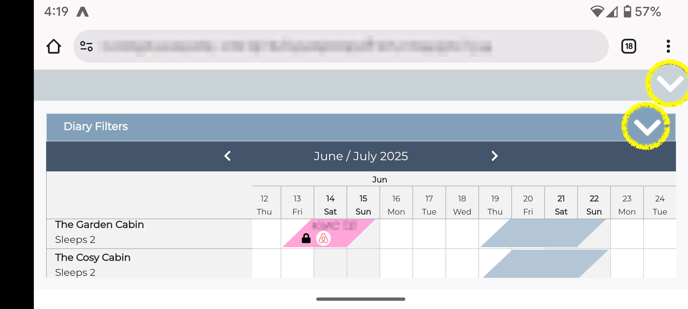
This will then brings the diary back into view and allows you to scroll forward & backwards to view future availability, as well as up and down to view multiple units at the same time.