![email-signature-anytime-logo-1.png]](https://knowledgebase.anytimebooking.co.uk/hs-fs/hubfs/email-signature-anytime-logo-1.png?height=42&name=email-signature-anytime-logo-1.png)
The diary view on mobile has been updated to match the layout and functionality of the desktop version. Previously, you could only view one unit at a time unless your phone was in landscape mode. Now, when you open the diary on your mobile device, you’ll see a list of your units and bookings for the next 7 days, just like on desktop.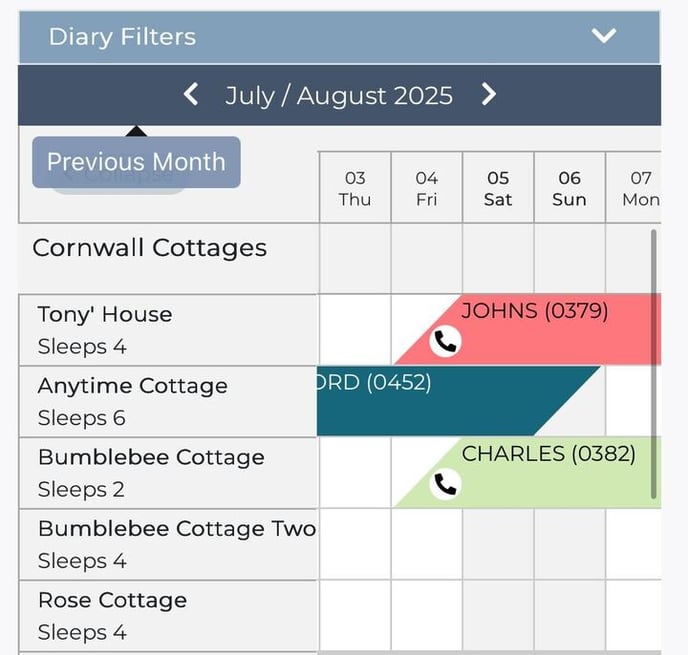
Helpful Tips:
-
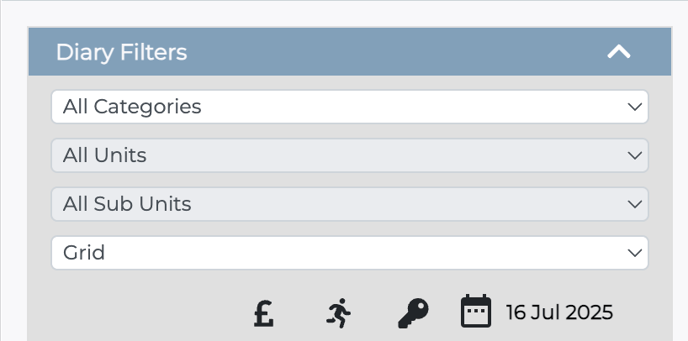
Filter your view: Tap the arrow on the right side of Diary Filters to filter by specific unit or sub-unit. You can also adjust the date, view nightly rates, and access the diary key from here.
-
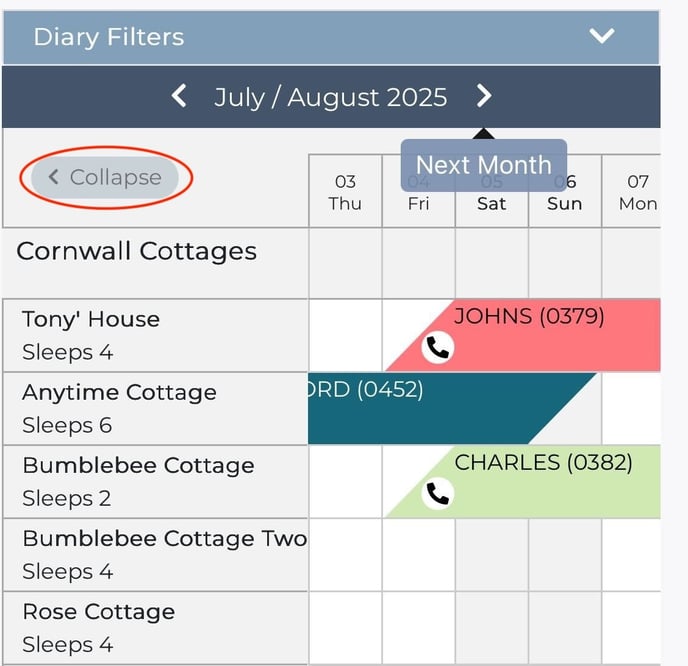
Collapse units: Use the option on the top left to collapse the unit list. This makes it easier to view a broader date range at once.
-
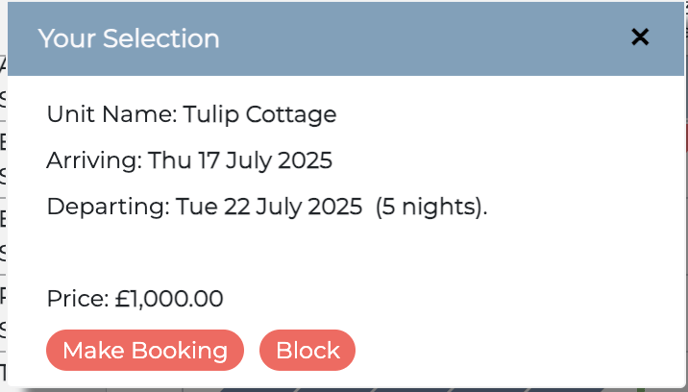
Viewing or adding blocks: When managing blocks, the unit name now displays clearly in the popup for quick reference.
-
Scroll for more: Use your phone’s scroll to navigate down the list of units or across the date range.
Note: your diary needs to have the ‘New/latest’ view turned on in the “Your Account” area.