![email-signature-anytime-logo-1.png]](https://knowledgebase.anytimebooking.co.uk/hs-fs/hubfs/email-signature-anytime-logo-1.png?height=42&name=email-signature-anytime-logo-1.png)
These additional features include:
-
Sending emails from your own domain
Postmark allows booking-related emails to be sent from your own domain name, using addresses such as info@mybusiness.co.uk or support@mybusiness.co.uk, rather than a generic sender address.
Sending emails from your own domain helps reinforce your brand, gives guests greater confidence that emails are genuinely from your business, and can improve email deliverability by reducing the likelihood of messages being treated as spam.
-
Comprehensive email delivery tracking
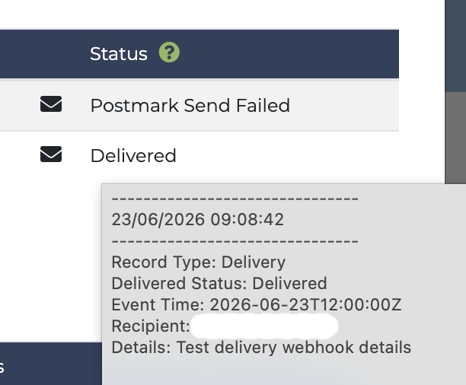
Postmark provides detailed delivery status information for every email sent, giving you greater visibility into what happens after an email leaves Anytime Booking.
You can view a range of delivery statuses, including:
- Successfully delivered
- Hard bounced (permanent delivery failure)
- Queued for delivery
- And other delivery events, where applicable
This level of insight makes it much easier to identify delivery issues, understand why a guest may not have received an email, and take appropriate action where necessary.
-
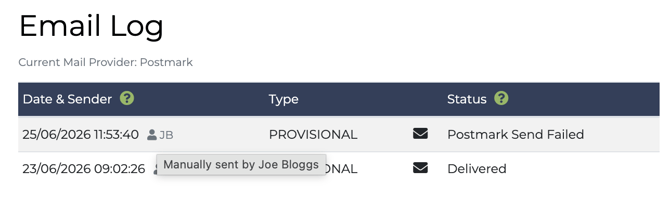
Staff member attribution for manually sent emails
When an email is sent manually by a member of staff, Postmark records which user sent the message. This provides a clear audit trail, making it easy to see who sent an email and when.
This can be particularly useful when investigating customer queries, reviewing communication history, or where multiple team members manage guest correspondence.
-
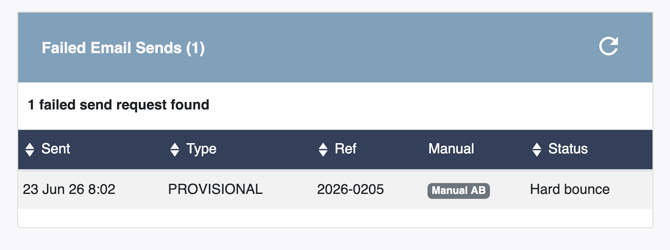
Failed email monitoring dashboard (Coming Soon)
A new dashboard widget will provide a quick overview of recently failed emails, making it easy to identify delivery issues as soon as they occur.
The widget will display the 25 most recent failed email attempts, allowing administrators to monitor delivery problems and take action where required.
Once a failed email has been successfully resent and delivered, it will automatically be removed from the dashboard, ensuring the list only contains emails that still require attention.