![email-signature-anytime-logo-1.png]](https://knowledgebase.anytimebooking.co.uk/hs-fs/hubfs/email-signature-anytime-logo-1.png?height=42&name=email-signature-anytime-logo-1.png)
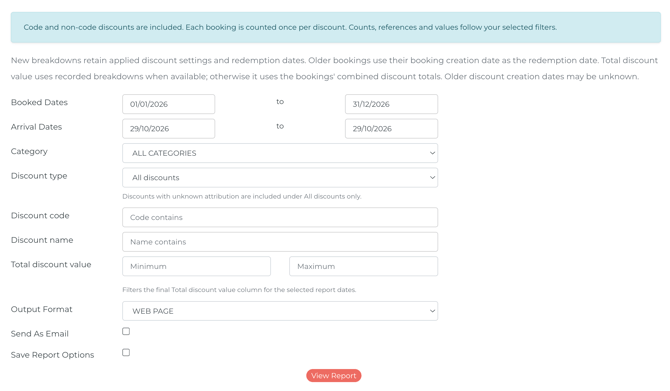
Booked Dates: Filter bookings by the date they were originally made.
Arrival Dates: Filter bookings by the guests’ arrival dates.
Category: Filter the report by a specific category or unit.
Discount Type: Show all discounts, or filer on code or non-code based.
Discount Code: Filters bookings to show only those with a specific discount code.
Discount Name: Filters bookings to show only those with a specific discount name.
Total Discount Value: Set a minimum and maximum discount amount to display bookings where the discount falls within the specified range.
Output Format: Choose to export the report as a web page, PDF or CSV file.
Send as Email: Once selected, clicking View Report will send the report to you by email as a PDF attachment.
Save Report Options: Save your report settings if you plan to run the same report regularly with the same filters. This allows you to reuse your saved settings each time, only needing to update the date range when running the report again.