
For example:
-
cottages
-
apartments
-
camping / touring
-
glamping
-
bunkhouses.
To edit the name of an existing category, just double click on the blue-grey bar.
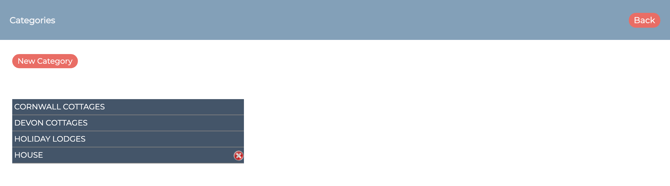
Note: If you spot a red X next to the name on the right hand side of the bar - this means there are no associated bookings on this category, so you can delete this if you need to.
Adding a New Category
Click on the 'New Category' button to add a new category.
When adding in a new category (the system does require at least one by default), it's advisable that you make this visible in the admin area only whilst you work on it, and then check it over for accuracy before you publish it online.
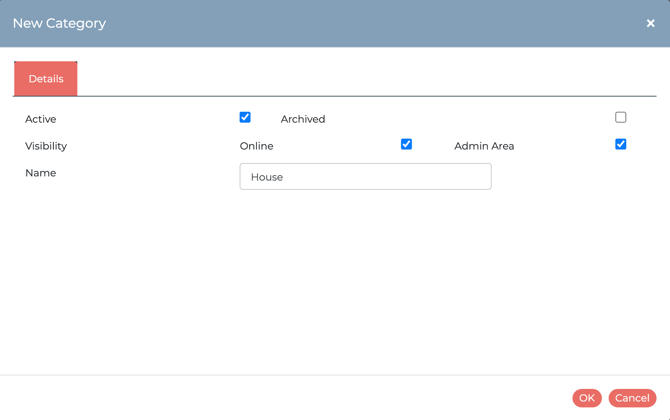
It's worth noting too, that if you only have one category, this will not display for the online guest to choose at the start; they will simply go straight into the flow of the booking process.